Creating a Portfolio Website
A portfolio website is one of the most important ways to showcase your work and let others know about you and what you create. It’s essential for applying to internships, participating in ArtCenter’s recruiting events, appealing to future employers, and building your personal brand as a creative professional. In addition, it’s one of the best ways to help you stand out from the crowd.
Picking a Platform to Build Your Website
Whether you’re a coding pro or simply want a template to plug into, there are many choices when it comes to picking a platform to start building your website. Below are some of the most common options used by artists and designers. Many have free trials which give you an opportunity to explore without committing. When picking your website platform consider how you might use it now and in the future; is it simply to organize and showcase your work, or do you plan to sell product one day? Do you want to be able to customize everything or are you okay with limited colors and fonts? Understanding your goals early on will help you in choose a platform that will best support your portfolio.

Adobe Portfolio
FREE with any Adobe Subscription
$9.99/mo for premium website, includes subscription to Photoshop and Lightroom
Very user friendly. Syncs with Behance
Offers a free professional looking domain name

Wix
FREE to start. $13 - $39/mo for premium
wix.com/students to learn about 50% off student discount
Easy drag and drop design for beginners with lots of gallery templates
Custom domains available for a fee
Has a blog with helpful content

Fabrik
$11-$26/mo - FREE 2 week trial
Made specifically for artists and designers to display their work. Easy to add media content without touching code
Lots of gallery templates and themes. Switch themes any time
Custom domains available
Creator community “Show and Tell” featuring portfolios and celebrating creatives who use Fabrik

Squarespace
$19/mo to start
squarespace.com/students to learn about 50% off for students
Lots of templates with great design and flexibility. Able to customize CSS
Can support an online shop
Custom domains available for a fee

Format
$7 -$13/mo
Geared towards photography and film
Supports online stores and client galleries
Will grow with your professional needs
Has a blog with helpful content

Cargo
FREE premium account for ArtCenter Students with code: 6bd85833
$13/mo. otherwise but free to try and build before going public
Great templates for artists and designers looking for a more creative and customizable website
Has a blog and tutorials with extensive ”how to” content
What to Include on Your Website
Regardless of where or how you build your portfolio website, the below pieces of information should always be included in your portfolio:
-
Including your name on your website allows the viewer to immediately identify who you are. You can simply type your name or use a logo you’ve developed. Be sure the name you use is consistent on your website, resume, and any other professional materials such as LinkedIn.
-
This is the page where employers will go to learn more about you. It’s where your bio or personal statement should live. This can be long or short but should include who you are and where you are located. It should include what you do and what you make, as well as what inspires you. Include your unique skillsets.
Remember to keep it professional and avoid personal information. Leave out any information about your visa status or age. You can also include a professional photo on this page.
-
This is the heart of your website, so you’ll want to make sure your work is easy to find on the first page of your website and organized by type of work.
Be intentional about what you include on your website. For tips on this, read “Formatting Your Projects” below.
-
This is the page viewers will likely click on in order to reach out to you so you want to make it is easy to find. At minimum you should provide your email address on this page. You can also include a downloadable resume, link to your LinkedIn or social account.
Do not include personal information like address or phone number. Be sure to keep this information up to date.
Note that you can also combine your Professional Bio and Contact information into one page.
-
On the Internet, your domain name (or URL) is your unique address. Having your own domain name helps employers easily find your portfolio and identify the work is yours.
Commonly, portfolio domain names consist of your first name and last name and .com - for example - www.TinkAdams.com. However you can use a studio name or your artist name. This name should be the name you want to go by professionally and it should match the name on your resume and other professional materials.
Most portfolio building websites will come with a standard default domain. In order to change the name of the website you may need to upgrade.
It’s helpful to check if the platform you are using allows you to purchase a domain name through them, but you can also go through websites like GoDaddy, Google Domains, BlueHost, and more.
-
If a project is sponsored, under certain confidentiality restrictions, or just in progress and you want to hide it from the general public, you can password protect it.
It’s recommended that you only password protect specific projects and not your entire website. Private websites often turn viewers away and you want to make sure your portfolio website is accessible.
Remember! If you are password protecting projects from the public but want to provide a password to employers, you MUST include the password on your resume. You can add it under where you list your website.
Formatting Your Projects
Below are three pillars of website organization that will help you effectively display your work for the viewer.
-
You should not include every project you have ever made on your website. Instead, lay out all your projects in front of you and choose which projects best represent your skills and the work you want to be doing.
If you make work in multiple mediums - for instance you’re an illustrator who does painting, drawing, comics, creates zines, does fashion illustration, and so on - be sure to curate your projects by category to make it easy for the viewer to find what they are looking for. You may do this through tabs at the top of your site, or thumbnails on the homepage.
There is not a set number of projects to include on your website. The key is in how you organize and curate those projects for ease of viewing and so that the projects best reflect you as a creative.
-
Most viewers are coming to your website with no understanding of who you are or what type of work you make, so it is important to provide context. Viewers - especially potential employers - want to know what the project was, what your thinking behind it was, and what your process was.
Each project should contain the following:
• A project name
• Description of the project
• Final images
• Process images and sketches
TIP!
Think about the following question when providing context for your work: How did completing this project make me a stronger designer/creative?
-
When putting your projects in order on a page, think about displaying them in order of relevance. For example if you are a Transportation Designer interested in working on exteriors, don’t lead with UX projects. Choose projects where your exterior design skills really shine!
Design Tips
Fonts
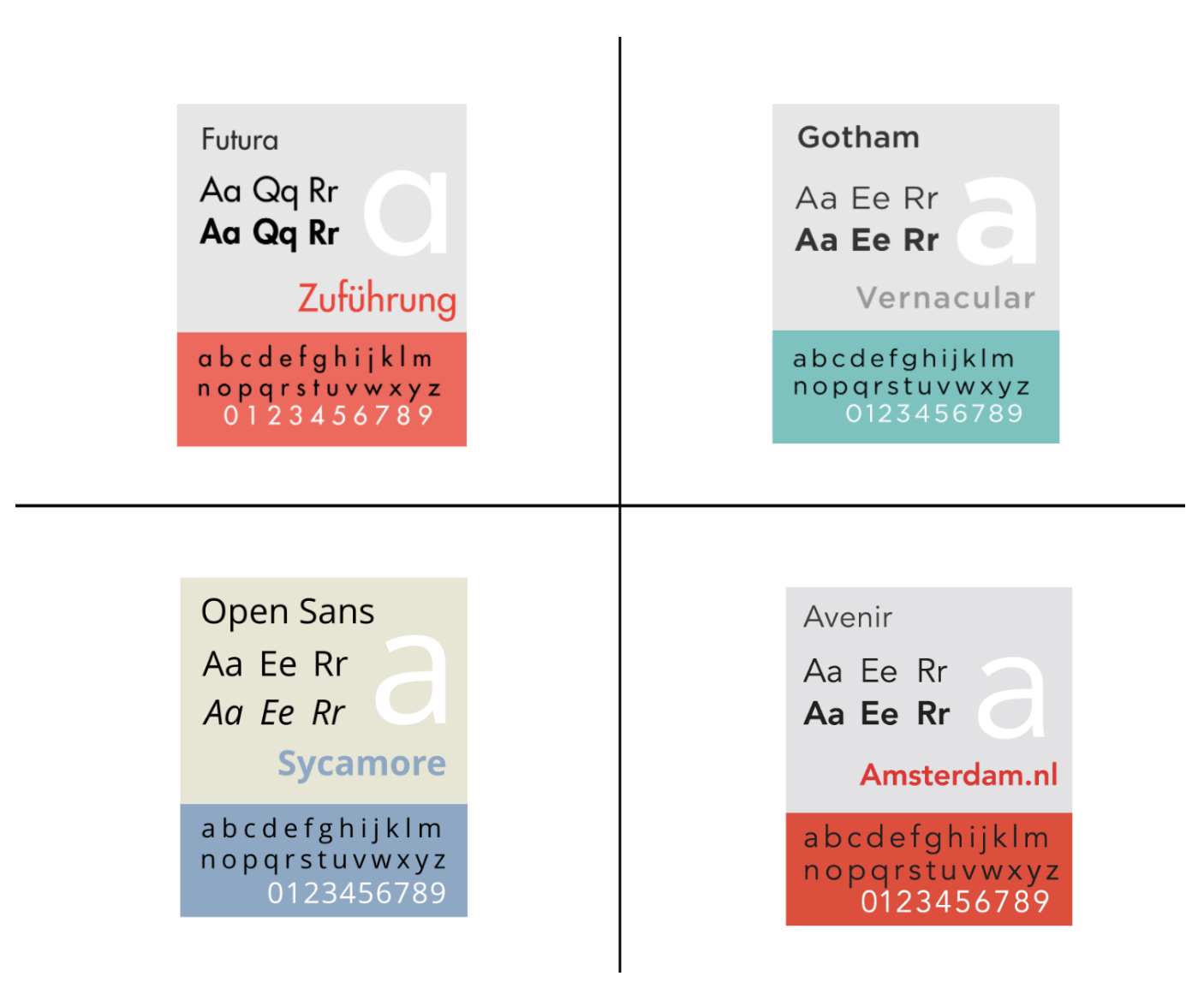
Sticking to modern san serif fonts is an easy way to design a great looking legible website. You can get creative and use accent fonts that mirror your personal branding but when in doubt keep it simple. Check that your font sizes are legible (12pt minimum) and that your font design doesn’t distract the viewing from your work.
Colors
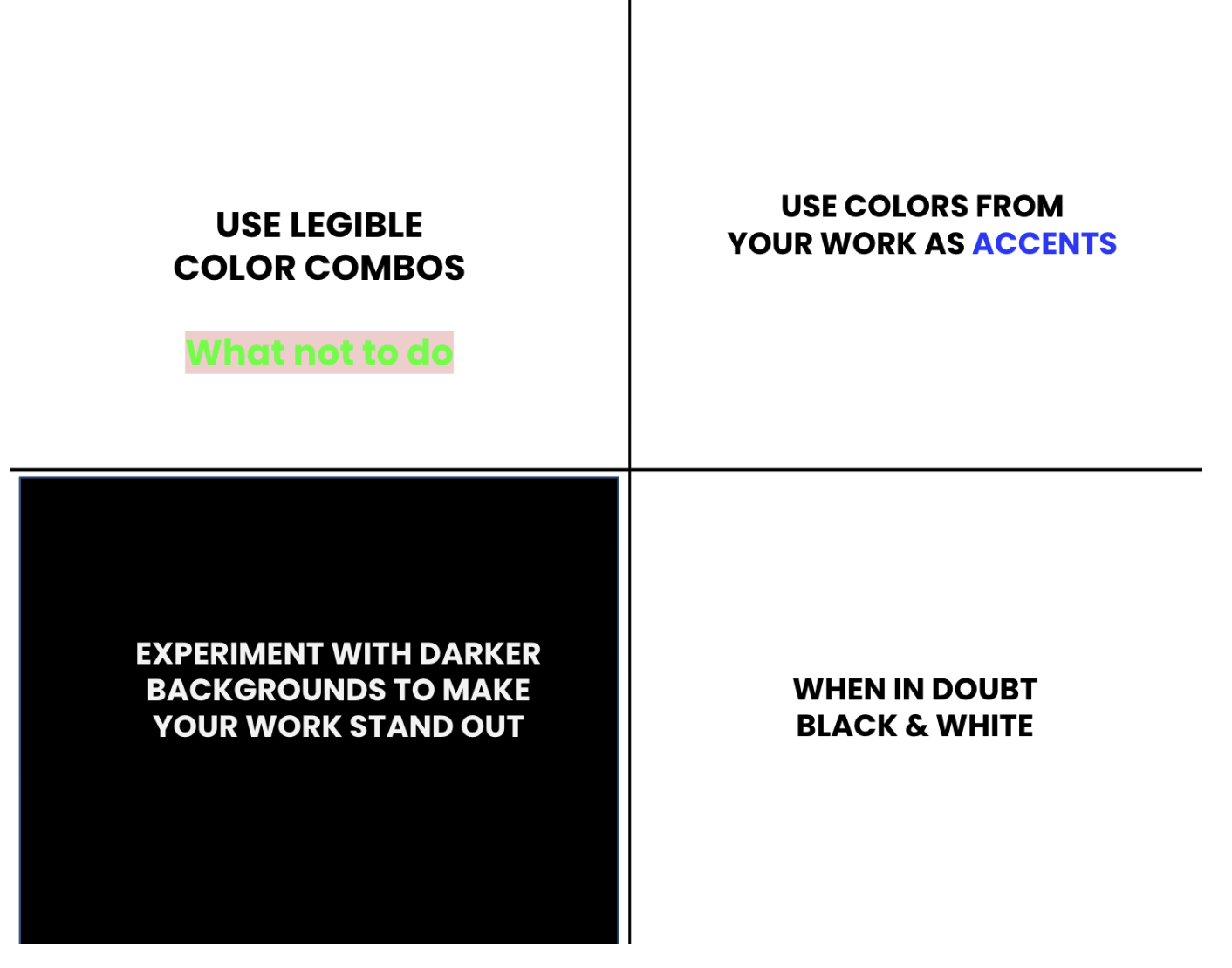
Similar to fonts, the colors you use on your website should enhance your portfolio not distract from it. You can get creative and use colors that relate to your work, but make sure that your words are legible. You may also want to experiment with darker backgrounds. Your portfolio might stand out even more on a black or grey background. When in doubt white backgrounds with dark text is always a safe bet.
Pro Tips
Once you’ve completed your portfolio website, make sure to hyperlink it to your resume! Learn how here. You can also add it to your LinkedIn and other professional materials
Always check your spelling and look for typos!
Watch to Learn More